Write your next book
with intelligence
Like Cursor, but for authors. A desktop writing environment with an AI agent that understands narrative structure, helps you outline, draft, and refine your work.
Free & Open Source · v0.1.0
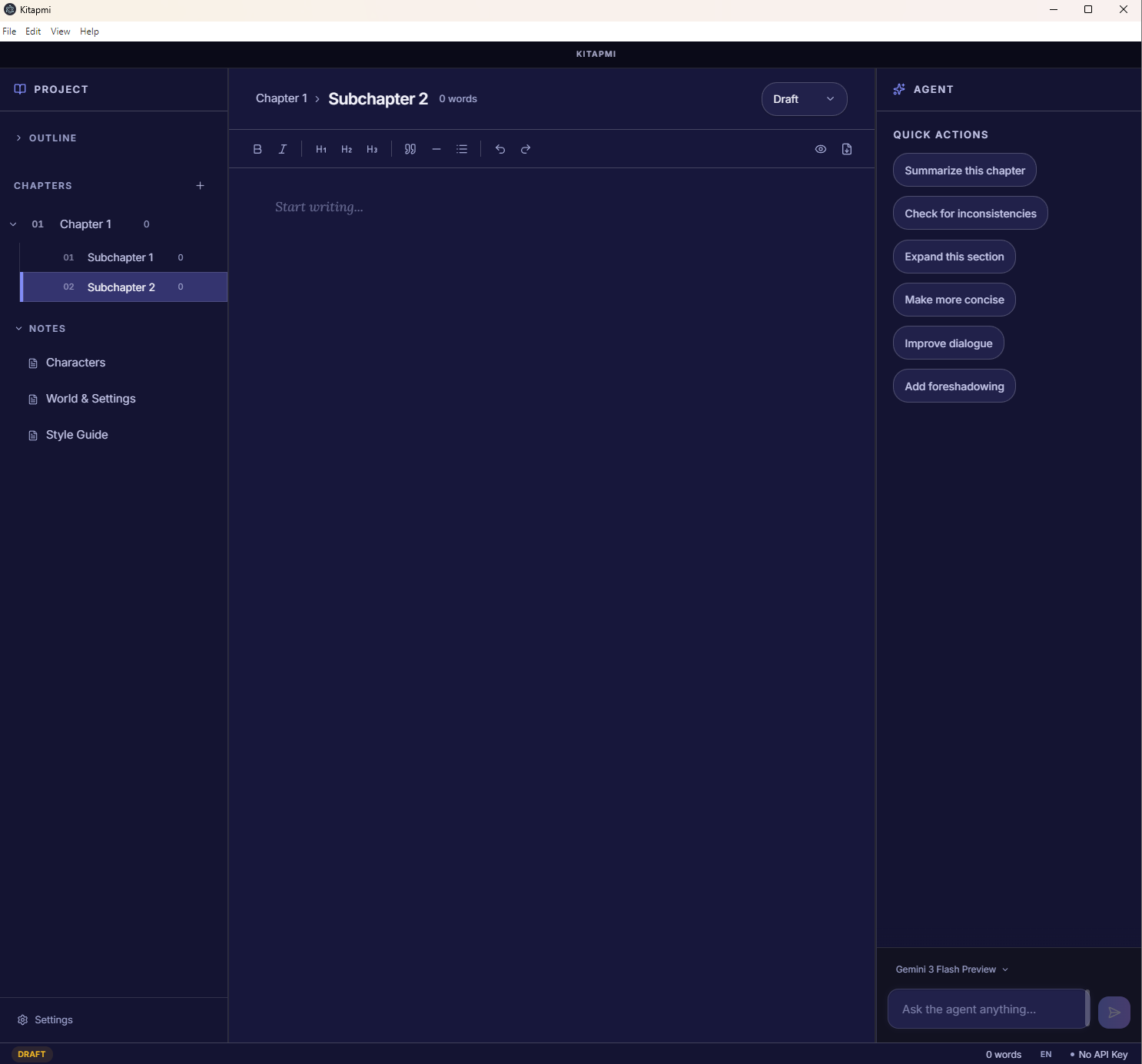
Everything you need to write a book
A complete writing environment designed from the ground up for long-form narrative work, powered by AI that understands your craft.
AI Writing Agent
An intelligent assistant that outlines your chapters, edits prose, asks probing questions about your narrative, and generates summaries to keep you on track.
Rich Book Editor
A distraction-free writing environment powered by TipTap. Organize your work into chapters and sections with a visual project tree.
Import & Export
Bring in existing manuscripts from PDF, DOCX, or plain text. Auto-split into chapters. Export your finished book as EPUB or PDF.
Inline AI Editing
Select any passage and let the AI refine it. Review every change in a visual diff view before accepting, so you stay in full control.
Version History
Snapshot your progress at any moment. Browse previous versions and never lose a single word of your creative work.
Style Guide
Define your voice, tone, and rules. The AI respects your style guide across every interaction, keeping your manuscript consistent.
From idea to published book
Three simple steps to go from a blank page to a finished manuscript.
Import or start fresh
Create a new book project or import an existing manuscript from PDF, DOCX, or plain text. Kitapmi automatically splits it into chapters.
Write with AI assistance
Draft your chapters in a distraction-free editor. Connect your OpenRouter API key to unlock the AI agent — then choose from hundreds of models to outline, expand ideas, refine prose, and maintain consistency across your narrative.
Export and publish
When you're ready, export your book as a beautifully formatted EPUB or PDF. Preview your book layout before exporting — ready for publishing.
Start writing your book
today
Download Kitapmi for free and bring your story to life with the help of AI. Available on all major platforms.
macOS Installation Note
- 1.Because this app is not signed with a paid Apple Developer account, macOS Gatekeeper will block it the first time.
- 2.Do not double-click the app. Instead, right-click (or Control-click) the app icon and select "Open".
- 3.You will be asked to confirm — after that, it will open normally every time.
- 4.Alternatively: go to System Settings > Privacy & Security, scroll down, and click "Open Anyway".
Windows Installation Note
- 1.Because this is a free, open-source project, it does not have a paid Microsoft publisher certificate.
- 2.Windows SmartScreen may show a blue warning: "Windows protected your PC."
- 3.Click "More info", then click "Run anyway" to proceed with the installation.
Linux Installation Note
- 1.Linux does not require paid certificates.
- 2.After downloading the .AppImage, right-click it, go to Properties, and check "Allow executing file as program".
- 3.Alternatively, run in your terminal: chmod +x Kitapmi-0.1.0.AppImage && ./Kitapmi-0.1.0.AppImage